
DPI Testing Area
Click and hold anywhere below, then move your mouse the specified distance
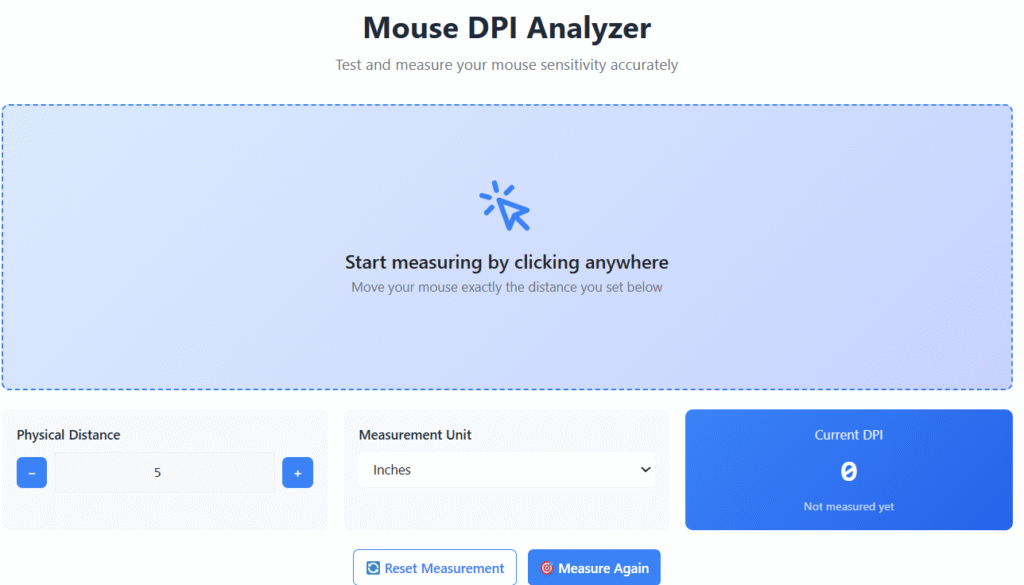
Start measuring by clicking anywhere
Move your mouse exactly the distance you set below
DPI Checker – Check Your Mouse DPI Instantly
Do you want to know the exact DPI of your mouse? Our Mouse DPI Checker makes it super easy to measure. Whether you’re a gamer, designer, or just curious, this tool helps you quickly check mouse DPI and understand your mouse performance without installing any software.
What is a DPI?
DPI (Dots Per Inch) shows how sensitive your mouse is. It tells you how many pixels your cursor moves on the screen for every inch you move the mouse. A higher DPI means faster movement, while a lower DPI gives you more precision and control.
How to Use Mouse DPI checker tool
With our online DPI checker, you can get accurate results in seconds. Follow these steps:
- Set the Target Distance: Choose the distance you want to move your mouse (in inches or cm).
- Move Your Mouse: Place your mouse cursor on the starting point inside the box and drag it to the end line without lifting your mouse.
- Check the Results: The tool instantly calculates and shows your mouse DPI. You can repeat the test to confirm accuracy.
Why Use a DPI Checker Tool in 2026?
In 2025, precision and speed will be more important than ever – whether you’re gaming, designing, or simply using a computer.
🎨 For Designers & Professionals: Graphic designers, architects, and video editors rely on precise cursor control. Our tool ensures that every mouse movement translates accurately on screen, whether you’re editing tiny details in Photoshop or working with CAD tools.
🎮 For Gamers: Games such as Valorant, CS2, PUBG Mobile, and Free Fire require pixel-perfect aim. Even a small difference in DPI can affect accuracy. With a quick mouse DPI test, you can find out your exact sensitivity and adjust it to fit your playstyle.
 For Everyday Users: Even outside of gaming and design, stable DPI matters. If your mouse sensitivity is inconsistent, this can slow your productivity. With our DPI analyzer, you can verify that your device is working properly and adjust it to your comfort level.

Benefits of Using Our Online DPI checker in 2026:
When it comes to checking your mouse’s sensitivity, our tool is the easiest and most reliable option. Here’s why:
- 100% Free and Easy to Use– No hidden charges. Just open the tool and test your mouse DPI instantly.
- No Downloads or Installations:–Everything runs directly in your browser, saving you time and space.
- Compatible with All Mice:– Whether you use a gaming mouse, wireless mouse, wired mouse, or optical mouse, our DPI checker works perfectly.
- Fast and Accurate Results:– Get your exact DPI value within seconds, without any guesswork.
Frequently Asked Questions
Not always. A higher DPI, like 3200, means faster cursor movement, while 1600 DPI offers more control. Use our mouse DPI checker to test which suits your style.
Most pro gamers prefer 400–800 DPI for accuracy, then adjust for in-game sensitivity.
DPI (dots per inch) is not exactly sensitivity—it’s the hardware setting of your mouse. Use a DPI analyzer or to confirm
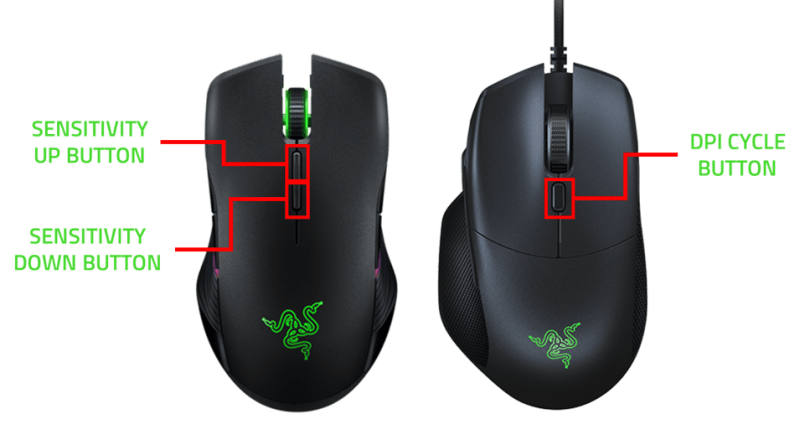
Many gaming mice use color indicators. For 800 DPI, it’s often red or blue, but check with your brand or verify using a mouse DPI calculator.
You can use the built-in mouse software or Windows settings.
Not necessarily. High DPI makes the mouse move faster, but accuracy depends on control. Our DPI analyzer helps you test the balance.
For Free Fire, players often use 400–1200 DPI for smooth aim. Use our mouse DPI check tool to find your best match.
Most mice start at 100–200 DPI.
No, DPI affects pointer speed, not screen or image quality.
Most FPS gamers prefer 400–800 DPI, while MMO or general users may go for higher DPI depending on comfort.